


Windows Home or Windows Pro
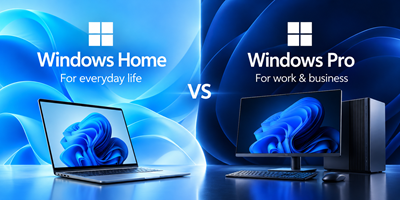
WINDOWS HOME OR WINDOWS PRO?
Which version is right for you?
When buying a new computer, you may be offered Windows 11 Home or Windows 11 Pro. Both provide the essential Windows experience, but Pro includes additional features designed for business users and more advanced requirements.
The best choice depends on how you plan to use your computer.
1. Windows 11 Home — Ideal for Everyday Use
Best for home users, students and everyday computing.
Windows Home is suitable for most people who use their computers for:
- Internet browsing, email and social media.
- Microsoft Office, including Word, Excel and PowerPoint.
- School, university and online learning.
- Watching videos, streaming and entertainment.
- Gaming and everyday personal tasks.
- Working from home using standard applications.
Why choose Home?
It provides the essential features most people need, without paying extra for business-specific functionality.
Our recommendation: If you use your computer for normal home, school or personal activities, Windows Home is usually the right choice.
2. Windows 11 Pro — Designed for Business and Advanced Users
Best for businesses, professionals and users with specific technical requirements.
Windows Pro includes the everyday features of Home, plus additional tools that can be important in a business environment.
Why choose Windows Pro?
Business Network Integration
Your computer can join a company-managed network domain or Microsoft Entra ID environment, allowing your IT department to manage access and security centrally.
Advanced Drive Encryption
Pro provides BitLocker Drive Encryption management, helping protect confidential business information if a computer or storage drive is lost or stolen.
Remote Desktop Hosting
Allows you to connect remotely to your Pro computer from another device, useful when you need to access your office computer while travelling or working elsewhere.
Virtual Machines
Hyper-V allows compatible computers to run virtual machines, useful for IT professionals, software developers and technical users.
Business IT Management
Pro offers additional tools for IT departments to manage security policies, device settings and business computers.
Our recommendation: Choose Pro if your company requires domain integration, centrally managed devices, BitLocker management, Remote Desktop hosting or other specific Pro features.
3. Quick Comparison
| Feature | Windows Home | Windows Pro |
|---|---|---|
| Internet, email and everyday use | Yes | Yes |
| Microsoft Office and business applications | Yes | Yes |
| School and university work | Yes | Yes |
| Gaming and entertainment | Yes | Yes |
| Standard home and office networking | Yes | Yes |
| Join a company domain or Microsoft Entra ID | No | Yes |
| Manage BitLocker Drive Encryption | Limited options | Yes |
| Host Windows Remote Desktop sessions | No | Yes |
| Hyper-V virtual machines | No | Yes |
| Advanced business IT management | Limited | Yes |
Feature availability can depend on hardware, configuration and your organisation's setup.
4. Which One Should You Buy?
Choose Windows Home if:
- You are buying a computer for personal use.
- You are a student or home user.
- You mainly use Office, the internet, email or entertainment applications.
- You want to keep the purchase cost down without sacrificing everyday Windows functionality.
Choose Windows Pro if:
- You are buying a computer for a business that requires centrally managed devices.
- Your IT department requires domain or Microsoft Entra ID integration.
- You need to manage BitLocker encryption.
- You need to connect remotely to your computer using Windows Remote Desktop.
- You use virtual machines or require specific professional IT features.
5. Important Things to Know
Does Windows Pro make a computer faster?
No. Home and Pro generally deliver the same everyday performance on the same hardware. Your processor, RAM, SSD and graphics are much more important when choosing performance.
Is Windows Home less secure?
Not necessarily. Both editions include important security features, such as Windows Security and firewall protection. Pro adds business-oriented security and management capabilities.
Can I upgrade from Home to Pro later?
Yes. You can upgrade an eligible Windows Home installation to Pro if your needs change. An additional licence fee applies.
Does every business need Windows Pro?
No. Many small businesses operate perfectly well with Home if they do not require any Pro-specific features. Check your company's IT requirements before deciding.
OUR FINAL RECOMMENDATION
Windows Home: The sensible choice for most home users, students and everyday computer users.
Windows Pro: The right choice when you need specific business, security management, remote access or advanced technical features.
Not sure which one you need? Ask our sales team before purchasing. We will help you choose the right Windows edition for your requirements, so you get the features you need without paying for features you will never use.
 Comalytics