


Laptop or Desktop PC
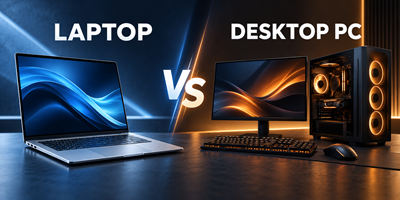
LAPTOP OR DESKTOP PC?
Your Guide to Choosing the Right Computer
Buying a new computer is an important decision. Should you choose a laptop that you can take anywhere, or a desktop PC that gives you a comfortable workspace and excellent value for money?
The best choice depends on how you plan to use your computer, your budget, and whether portability is important to you.
1. Choose a Laptop If…
A laptop is ideal if you need flexibility and want to use your computer in different places.
A laptop may be right for you if you:
- Need portability: Take your computer to work, school, university, meetings, or when travelling.
- Work in different locations: Move between your home, office, and other workplaces.
- Want a compact setup: Save desk space without needing a separate monitor, keyboard, and mouse.
- Need a computer for studying: Carry your computer to lectures, libraries, or group projects.
- Want a backup during load-shedding: A charged laptop can continue running during a power cut, provided its battery has sufficient charge.
- Prefer an all-in-one solution: The screen, keyboard, touchpad, speakers, and battery are built into one device.
Things to consider:
- Laptops with similar performance to desktops can cost more.
- Upgrading RAM or storage may be limited on some models.
- Replacing a damaged screen, keyboard, or battery can be expensive.
- A laptop's built-in screen may be less comfortable for long working hours than a larger desktop monitor.
Best for: Students, mobile professionals, salespeople, remote workers, and anyone who needs to work in more than one location.
2. Choose a Desktop PC If…
A desktop PC is ideal if your computer will mainly stay in one place and you want the best possible setup for your money.
A desktop PC may be right for you if you:
- Want better value: Get more performance for your budget in many price comparisons.
- Need a larger screen: Work comfortably with a 22-inch, 24-inch, or larger monitor.
- Work long hours: Enjoy a dedicated workstation with a full-size keyboard and mouse.
- Need more performance: Choose powerful processors, dedicated graphics, and other components for demanding workloads.
- Want upgrade flexibility: Many desktop systems allow you to add RAM, storage, graphics cards, and other components.
- Need multiple screens: Set up two or more monitors for spreadsheets, accounting, design, or multitasking.
- Want easier servicing: Many desktop components are easier to access and replace than laptop components.
Things to consider:
- You cannot easily take your computer with you.
- You need space for the computer, monitor, keyboard, and mouse.
- Most desktop PCs require uninterrupted mains power and do not have a built-in battery.
- A desktop setup may need a UPS or suitable backup power solution during load-shedding.
Best for: Home offices, businesses, accounting, administration, reception desks, gaming, design work, and family computers.
3. Laptop vs Desktop PC: At a Glance
| Feature | Laptop | Desktop PC |
|---|---|---|
| Portability | Excellent | Very limited |
| Performance for the price | Good | Often better |
| Desk space | Compact | Requires more space |
| Built-in battery | Usually included | Usually not included |
| Load-shedding convenience | Can run on battery | May need backup power |
| Screen size | Usually smaller | Flexible screen sizes |
| Upgrade options | Often limited | Usually more flexible |
| Repair and servicing | Can be more specialised | Often easier |
| Multiple monitors | Supported on many models | Often easier to configure |
| Best for travel | Yes | No |
| Best for a permanent workstation | Good | Excellent |
Actual performance, upgrade options, battery life, and value depend on the specific models being compared.
4. Which Computer Is Best for Your Needs?
For school or university
A laptop is usually the better choice if you need to carry your computer to classes. Consider battery life, weight, durability, and enough memory for your studies.
For home use
Both options work well. Choose a laptop if you want flexibility around the house. Choose a desktop if you want a comfortable, permanent workstation for browsing, email, online banking, and family use.
For business and office work
A desktop is often a cost-effective choice for employees who work at fixed desks. A laptop is better for staff who attend meetings, travel, or work between locations.
For accounting and administration
A desktop with a large monitor, or two monitors, can make working with spreadsheets, invoices, and accounting software more comfortable. A laptop with an external monitor is also an excellent option.
For gaming
A desktop gaming PC generally offers better performance per rand, better cooling, and more upgrade options. Choose a gaming laptop if you need to take your gaming system with you.
For graphic design, video editing, and demanding software
Both can work well. A desktop often provides better sustained performance and upgrade flexibility. A laptop is useful if you need powerful performance while travelling. Pay attention to the processor, RAM, graphics capability, and screen quality.
For load-shedding
A laptop has an advantage because its battery provides temporary power. A desktop can also be used during load-shedding with a suitable UPS or backup power system sized for the computer and monitor.
5. Should You Buy a Laptop and Use It Like a Desktop?
Yes! This can be the best of both worlds.
Connect a laptop to an external monitor, keyboard, and mouse at your desk. When you need to leave, disconnect it and take it with you.
This setup is particularly useful for business owners, professionals, and students who need both portability and a comfortable workstation.
Remember to check that the laptop supports the external monitor connections you need. A docking station may be useful if you want to connect several peripherals with one cable.
6. Five Questions to Ask Before You Buy
Before choosing a computer, ask yourself:
- Will I carry it around? If yes, a laptop is likely the better choice.
- Will it stay on one desk? If yes, consider a desktop PC.
- What will I use it for? Office work, studies, gaming, design, and specialist software have different requirements.
- What is my total budget? Include the monitor, keyboard, mouse, software, and any accessories you need.
- Do I need to upgrade it later? If future expansion is important, a desktop may be the better option.
Our Recommendation
There is no single computer that is best for everyone.
- Choose a laptop if flexibility, portability, and working in different locations are your priorities.
- Choose a desktop PC if value, a larger screen, upgrade options, and a permanent workspace matter most.
- Choose a laptop with a docking setup if you want portability without sacrificing the comfort of a desktop workstation.
Need Help Choosing?
Tell us what you will use your computer for and your budget. We can help you select a computer that meets your needs without paying for features you do not require.
The right computer is not necessarily the most expensive one. It is the one that works best for you.
 Comalytics