


Buying a Computer Online vs In-Store
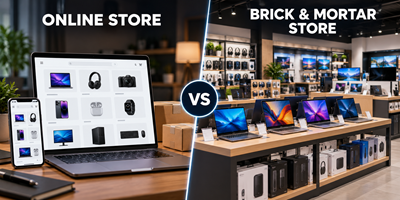
Buying a Computer Online vs In-Store
Which Is the Better Choice for You?
Buying a computer is an important investment. Whether you need a laptop for home, a desktop for your business, or computers for your school, choosing the right supplier is just as important as choosing the right computer.
Online stores offer convenience and the ability to compare prices quickly. A physical computer store offers something more personal: expert advice, hands-on assistance and access to technical support when you need it.
The best choice is not always the cheapest computer. It is the computer that best suits your needs, backed by the right level of service and support.
1. Online Store vs Physical Computer Store
Online Computer Stores
The advantages
- Convenience: Shop from home or the office at any time.
- Easy price comparisons: Compare different brands, specifications and prices.
- Wide selection: Browse a large range of products without visiting a store.
- Home or office delivery: Have your purchase delivered to your door.
- Special offers: Take advantage of online promotions and discounted products.
Things to consider
- You may need to research specifications yourself to ensure you buy the right computer.
- Product descriptions do not always explain which computer is best for your particular needs.
- You cannot physically inspect the computer or try the keyboard, screen and touchpad before purchasing.
- If you experience setup problems or technical difficulties, you may need to troubleshoot them yourself or contact support remotely.
- Returns, warranty claims and repairs may require courier arrangements or sending the product away.
- Additional costs for setup, data transfer, software installation or technical assistance may apply.
Physical Computer Stores with In-Store Technical Support
The advantages
- Personalised sales advice: Speak to someone who can help you choose the right computer for your needs and budget.
- Make an informed decision: Get help understanding processors, RAM, storage, screen sizes, Windows editions and other specifications.
- See before you buy: Where display models are available, you can inspect the computer and get a better feel for its size, screen and keyboard.
- Local technical assistance: Get help with setup, software, connectivity and troubleshooting, subject to the services offered by the store.
- A real place to visit: You have a physical location to contact or visit if you need assistance.
- Help beyond the purchase: Ask questions, get advice and discuss technical problems with knowledgeable staff.
- Business and school solutions: Get assistance selecting compatible systems, peripherals and equipment for your organisation.
Things to consider
- Store opening hours may limit when you can shop or obtain assistance.
- The physical store may not stock every available model or configuration.
- Some products may need to be ordered in.
- Prices may sometimes be higher than online-only promotional prices.
2. Why Expert Sales Advice Matters
Two computers can look similar on paper but deliver very different experiences.
A computer with a lower price may have less memory, limited storage, a lower-quality screen or specifications that are unsuitable for your workload. Equally, you could end up paying for performance and features you will never use.
An experienced sales consultant can help you answer important questions:
- What will you use the computer for?
- Is a laptop or desktop the better choice?
- How much RAM and storage do you really need?
- Is Windows Home sufficient, or do you need Windows Pro?
- Will the computer run your business applications and peripherals?
- Should you consider a warranty extension or additional technical services?
Good advice helps you avoid buying the wrong computer, overspending or discovering too late that your new system does not meet your needs.
3. What Happens When Something Goes Wrong?
A computer purchase is not necessarily the end of the buying process. You may need help setting up your new machine, transferring files, connecting a printer, installing software or resolving a technical problem.
With an online-only supplier, the level of assistance depends on the support services it provides. You may need to contact a remote help desk, arrange a return or find a local technician independently.
With a physical computer store that has resident technical staff, you have the advantage of access to local expertise. Depending on the store's service offering and warranty terms, you may be able to obtain assistance with diagnosis, setup, troubleshooting and repair arrangements.
Remember that a manufacturer's warranty does not always cover accidental damage, software problems, data recovery or every type of technical assistance. Always check what is included before you buy.
4. Which Option Is Best for You?
An online store may suit you best if:
- You know exactly which model and specifications you want.
- You are comfortable comparing technical specifications yourself.
- You can handle setup and basic troubleshooting.
- Convenience and price are your main priorities.
A physical computer store with technical support may suit you best if:
- You are unsure which computer is right for you.
- You want expert advice before spending your money.
- You need assistance setting up your new computer.
- You value having local technical support available.
- You are buying computers for a business, school or family.
- You prefer dealing with people who can help you beyond the initial sale.
5. Look Beyond the Purchase Price
When comparing prices, consider the overall value of your purchase, not just the price on the screen.
| What to compare | Why it matters |
|---|---|
| Computer specifications | Make sure you are comparing equivalent products. |
| Warranty terms | Check the duration, coverage and claims process. |
| Setup and installation | Find out whether these services are included or charged separately. |
| Technical support | Understand who will help if you experience problems. |
| Delivery or collection | Consider delivery charges, waiting time and collection options. |
| Returns and repairs | Understand the process if a product is faulty or unsuitable. |
| Long-term value | Consider reliability, suitability and the support available after purchase. |
A slightly cheaper computer may not be the better overall deal if you later have to pay separately for services or assistance you need.
6. Our Approach: More Than Just Selling Computers
At our store, we believe buying a computer should be a positive and informed experience.
Our aim is to help you choose a computer that suits your requirements, works within your budget and gives you confidence in your purchase.
With knowledgeable sales advice and access to resident technical support, you can discuss your requirements with real people who understand computers and can help you make a suitable choice.
Whether you are buying your first laptop, upgrading your home PC or equipping an entire business, we want to help you make the right decision.
Because buying the right computer is important. Knowing where to turn when you need help is important too.
Need Help Choosing the Right Computer?
You do not need to know every technical specification before you visit us. Tell us what you want to do, what your budget is and what matters most to you.
Let us help you find the right computer for your needs — with advice and support you can rely on.
Visit our store or contact our sales team for assistance.
 Comalytics