


Printer Buying Guide
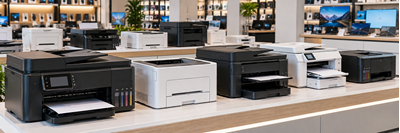
PRINTER BUYING GUIDE
Choose the right printer for your home, school or business
Buying a printer is about more than finding the lowest price. The right printer should suit your printing needs, fit your budget and offer affordable running costs.
Use this guide to help you make the right choice.
1. Choose the Right Type of Printer
INKJET PRINTERS — Affordable Everyday Printing
Best for: Home users, students and occasional printing.
- Ideal for documents, colour printing and photographs.
- Usually affordable to purchase.
- Available in print-only and multifunction models.
- Ink cartridges may need frequent replacement with regular printing.
Best choice if: You print occasionally and need colour or photo printing.
INK TANK PRINTERS — Low-Cost High-Volume Printing
Best for: Families, students, schools and small businesses.
- Uses refillable ink tanks instead of conventional cartridges.
- Prints thousands of pages per set of ink bottles, depending on the model and coverage.
- Offers a low cost per page for regular printing.
- Usually costs more upfront than a basic cartridge printer.
- Requires occasional printing and proper maintenance to help prevent printhead problems.
Best choice if: You print frequently and want to reduce ongoing ink costs.
LASER PRINTERS — Fast, Professional Document Printing
Best for: Offices, businesses and users who print many documents.
- Uses toner powder rather than liquid ink.
- Excellent for sharp text and professional documents.
- Generally fast, reliable and well suited to regular workloads.
- Toner does not dry out like liquid ink.
- Monochrome models print in black only; colour laser models cost more to purchase and maintain.
Best choice if: You mainly print documents and want speed, productivity and dependable results.
2. Do You Need Black-and-White or Colour?
Monochrome (Black-and-White) Printer
Ideal for invoices, quotations, reports, schoolwork and general office documents. It is often the most economical choice when colour is unnecessary.
Colour Printer
Ideal for presentations, charts, school projects, marketing material and colour documents. Consider the cost of all required ink or toner supplies.
Photo Printer
Designed for users who want high-quality photographs. Check supported paper sizes, photo quality, borderless printing and the cost of photo paper and ink.
3. Print Only or Multifunction?
Choose a print-only printer if you only need to print documents.
Choose a multifunction printer if you also need:
- Scanning — convert documents and photographs into digital files.
- Copying — make copies without using a separate photocopier.
- Automatic document feeder (ADF) — scan or copy multiple pages more conveniently.
- Duplex printing — print on both sides of the paper automatically, where supported.
A multifunction printer can save space and money by combining several devices into one.
4. Important Features to Consider
Before purchasing, check the following:
- USB connectivity: Connect directly to a computer.
- Wi-Fi: Print wirelessly from compatible computers and mobile devices.
- Ethernet: Connect to a wired office network.
- Mobile printing: Check compatibility with services such as Apple AirPrint, Mopria or the manufacturer's app.
- Automatic duplex: Reduces paper use by printing on both sides.
- Print speed: Important when printing large documents or serving multiple users.
- Paper capacity: A larger tray means fewer paper refills.
- ADF: Useful for scanning or copying multi-page documents.
- Duty cycle: Check the manufacturer's recommended monthly printing volume, not just the maximum monthly duty cycle.
Not every printer supports all these features, so check the specifications before buying.
5. Don't Forget the Cost of Ink or Toner!
The purchase price is only part of the cost of owning a printer.
A cheaper printer may have expensive cartridges, while a higher-priced ink tank or laser printer may offer better long-term value.
Consider these three costs:
- Initial purchase price — what you pay for the printer.
- Consumables — ink, toner, maintenance items and replacement parts where applicable.
- Cost per page — how much it costs to print each page, based on the consumable yield and purchase price.
Remember that actual page yields vary with document coverage, settings and usage. Colour graphics and photographs can use considerably more ink or toner than ordinary text documents.
Our tip: If you print regularly, compare the cost of replacement ink or toner before deciding which printer to buy.
6. Which Printer Is Right for You?
| Your printing needs | Printer to consider |
|---|---|
| Occasional home printing | Entry-level inkjet |
| Schoolwork and frequent colour printing | Ink tank |
| Large volumes of black-and-white documents | Monochrome laser |
| Busy home office or small business | Ink tank or laser multifunction |
| Fast, shared office printing | Network laser printer |
| Photographs and creative projects | Photo-capable inkjet |
| Printing and scanning multiple pages | Multifunction printer with ADF |
These are starting points. The best option depends on your printing volume, budget, required features and running costs.
7. Before You Buy — Ask Yourself
☐ How many pages do I print each month?
☐ Do I need colour, or is black-and-white sufficient?
☐ Do I need scanning and copying?
☐ Will I print from a computer, phone or multiple devices?
☐ Do I need automatic double-sided printing?
☐ What will replacement ink or toner cost?
☐ Does the printer include the required starter consumables, and what is the warranty?
NEED HELP CHOOSING THE RIGHT PRINTER?
Our team can help you compare printer models, features and running costs to find the right solution for your needs and budget.
Choose wisely. Print confidently. Get more value from every page.
 Comalytics